Settings
The Settings module provides enterprises with centralized controls to configure and manage key platform elements. It enables administrators to:
- View and maintain organizational account details
- Manage user roles, access permissions, and security policies
- Create and organize tags for better segmentation and campaign targeting
Account
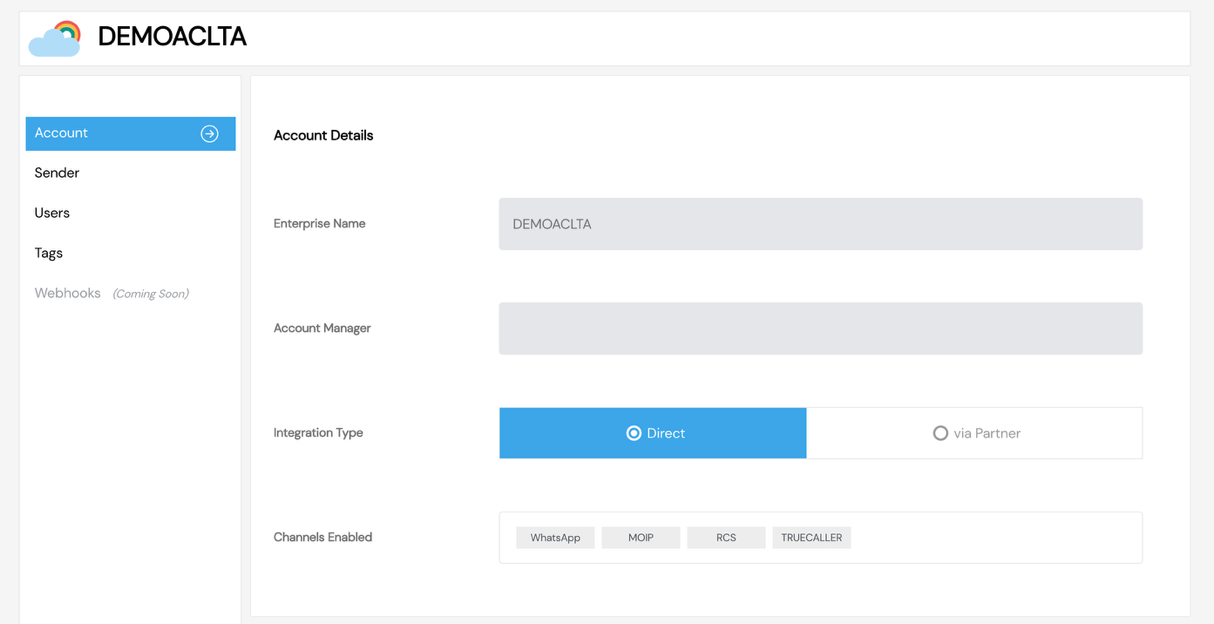
The Account section provides enterprises with a high-level overview of their registered profile and configurations within SmartTA.
This section includes:
- Business Details — View organization name, registered onboarding information, and associated account manager details.
- Channel Access Information — Check the availability and activation status of messaging channels such as WhatsApp and RCS.
- Support & FAQs — Access commonly asked questions related to WhatsApp messaging policies, guidelines, and operational requirements.
note
The Account section is read-only for most users and is typically managed by the platform administrator or support team.
Screenshots
Account Overview