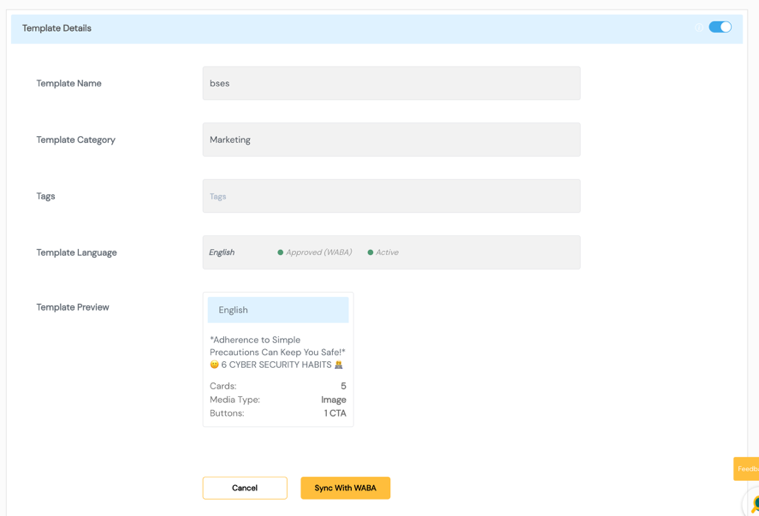
Template Management
WhatsApp message templates allow enterprises to send structured, pre-approved messages to customers who have opted in to receive business communication. Templates are required for all business-initiated messages on WhatsApp.
The Template Management module in SmartTA provides a unified interface to create, view, organize, and manage WhatsApp templates that are automatically published to your WhatsApp Business Account (WABA).
This module enables enterprise users to:
- View and retrieve existing templates linked to their WABA
- Create new templates and submit them for Meta approval
- Add tags to templates for improved categorization
- Enable or disable templates based on operational requirements
Only Approved templates can be used for sending campaigns in SmartTA.
Template Lifecycle
Every template in SmartTA follows a structured lifecycle:
| Status | Description |
|---|---|
| Draft | Created by users but not yet submitted |
| Submitted | Sent to Meta for approval |
| Approved | Successfully reviewed and ready for use in campaigns |
| Rejected | Rejected by Meta due to policy/format issues |
Templates Dashboard
The Templates Dashboard provides a complete view of all templates associated with your WABA.
Dashboard features:
- Filter templates by Status, Type, Language, and Tags
- Search templates by name
- View quality rating (Green / Yellow / Red) for each approved template
- Export template list
Template fields displayed:
| Field | Description |
|---|---|
| Template Name | Unique name for the template |
| Category | Marketing / Utility / Authentication |
| Language | Language of the template |
| Status | Draft / Submitted / Approved / Rejected |
| Quality Rating | Meta-assigned quality indicator |
| Tags | Applied classification tags |
| Actions | Edit / Enable / Disable |
Template Quality Rating
Meta assigns a quality rating to each approved template based on user feedback and delivery signals:
| Rating | Colour | Meaning |
|---|---|---|
| High | 🟢 Green | Template is well-received by users |
| Medium | 🟡 Yellow | Some negative feedback — review content |
| Low | 🔴 Red | High negative feedback — risk of pause |
Template Statuses
| Status | Description |
|---|---|
| Active | Template is approved and available for campaigns |
| Paused | Temporarily suspended due to quality issues |
| Disabled | Manually disabled by the enterprise user |
| Pending | Awaiting approval from Meta |
Enable / Disable Template
Templates can be enabled or disabled without deletion:
- Enable — Makes the template available for campaign use
- Disable — Removes the template from campaign selection without deleting it
Recommended Best Practices
- Keep message content clear, concise, and relevant
- Avoid promotional language in Utility templates
- Use variables responsibly — ensure they map to real, validated data
- Apply consistent tags for easier discovery and reporting
- Test templates before launching large-scale campaigns
Common Reasons for Template Rejections
- Promotional content in Utility category templates
- Missing opt-out information in marketing messages
- Vague or misleading variable placeholders
- Violated Meta content policy or community standards
- Incorrect or missing language localizations
Screenshots
Templates Dashboard
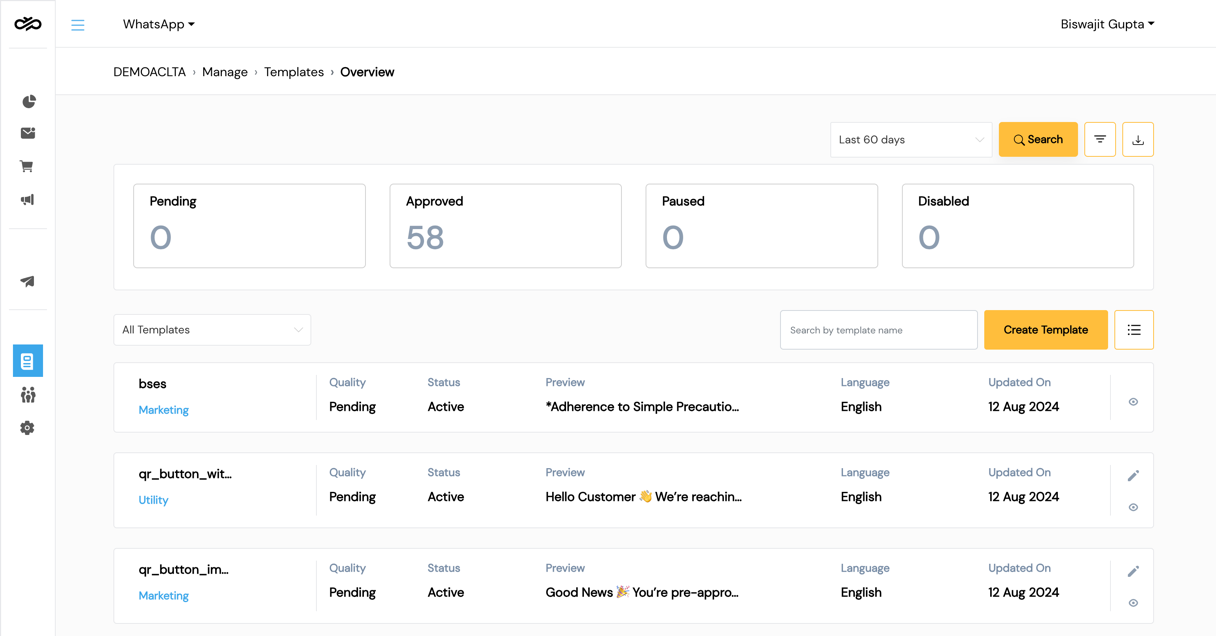
Template Status View