Analytics & Reporting
The Insights module in SmartTA provides detailed analytics and reporting capabilities for WhatsApp messaging activity.
Insights – Messages Dashboard
The Messages dashboard provides a holistic view of all outbound messaging activity.
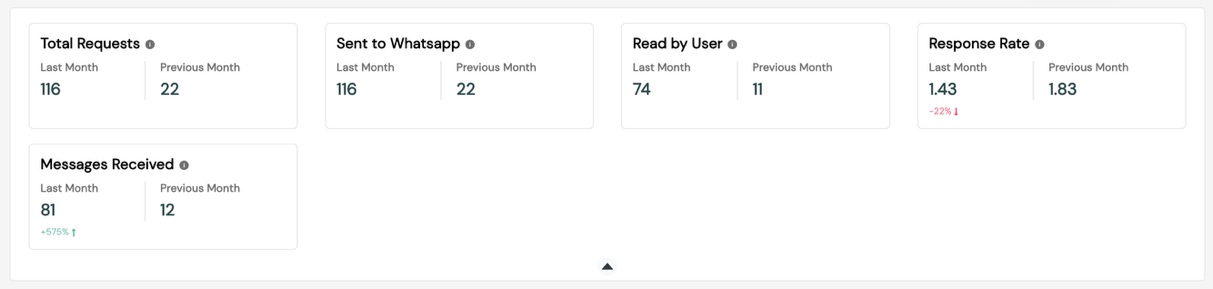
Summary Cards
| Card | Description |
|---|---|
| Total Messages Sent | Aggregate of all dispatched messages |
| Total Delivered | Messages confirmed delivered |
| Total Read | Messages opened by recipients |
| Total Failed | Messages that could not be delivered |
| Delivery Rate | Delivered / Sent × 100 |
| Read Rate | Read / Delivered × 100 |
Graphs
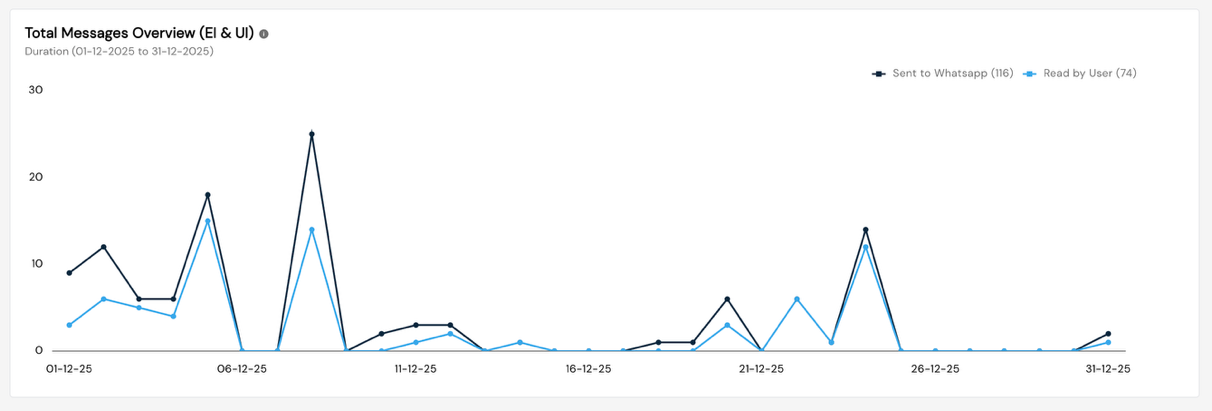
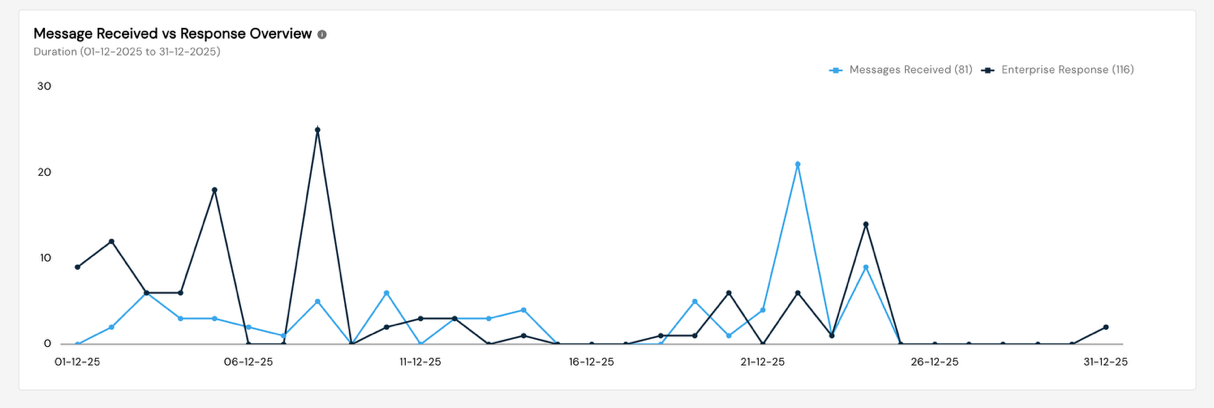
- Daily Volume Trend — Line chart showing sent/delivered/read counts over time
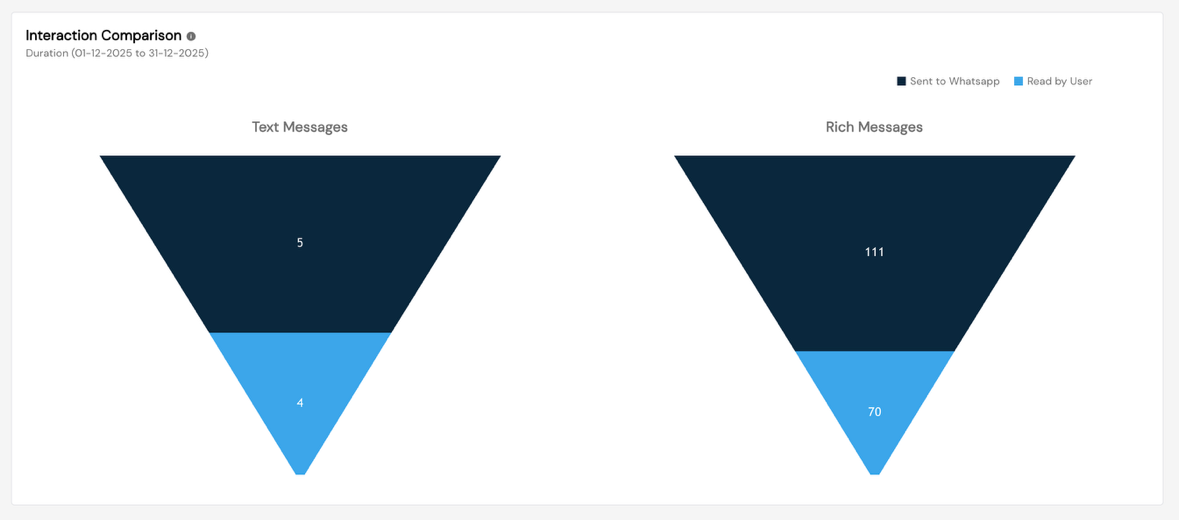
- Campaign Comparison — Bar chart comparing performance across campaigns
- Failure Analysis — Breakdown of failure reasons by error category
Available Reports
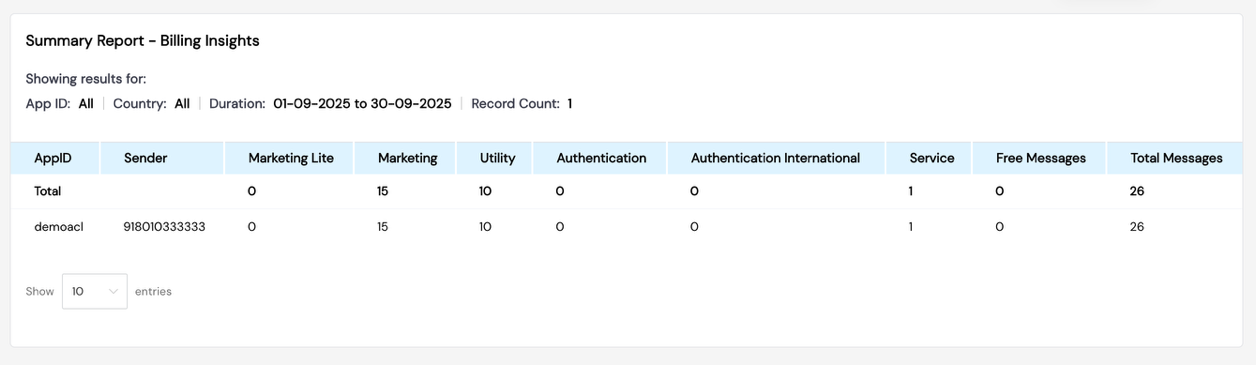
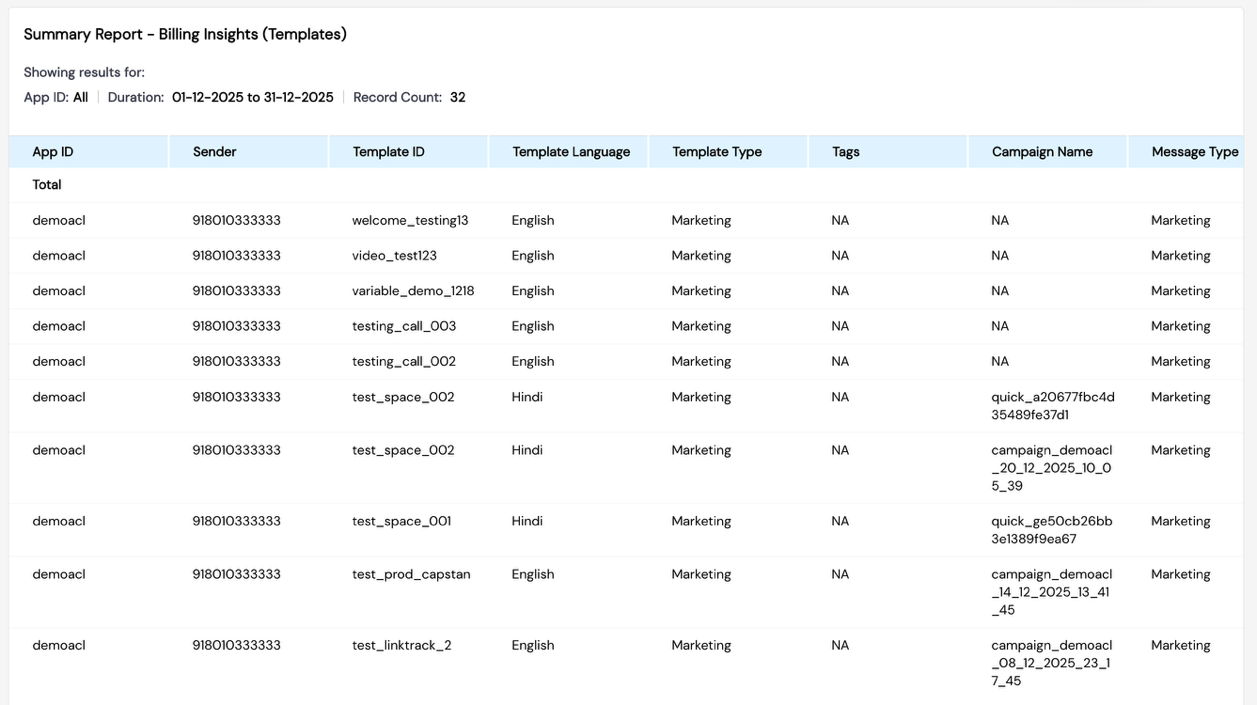
Summary Reports – Billing Insights
Track messaging charges broken down by:
- Template Category (Marketing / Utility / Authentication)
- Billing period
- Total conversation count and cost
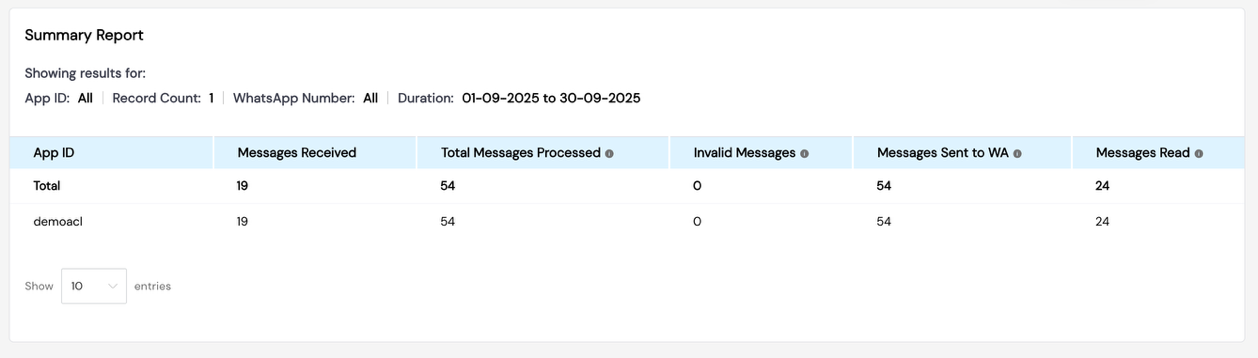
Summary Report
Aggregate campaign-level metrics:
| Column | Description |
|---|---|
| Campaign Name | Name of the campaign |
| Template Name | Template used |
| Sent | Total messages sent |
| Delivered | Total messages delivered |
| Read | Total messages read |
| Failed | Total failed messages |
| Send Date | Campaign dispatch date |
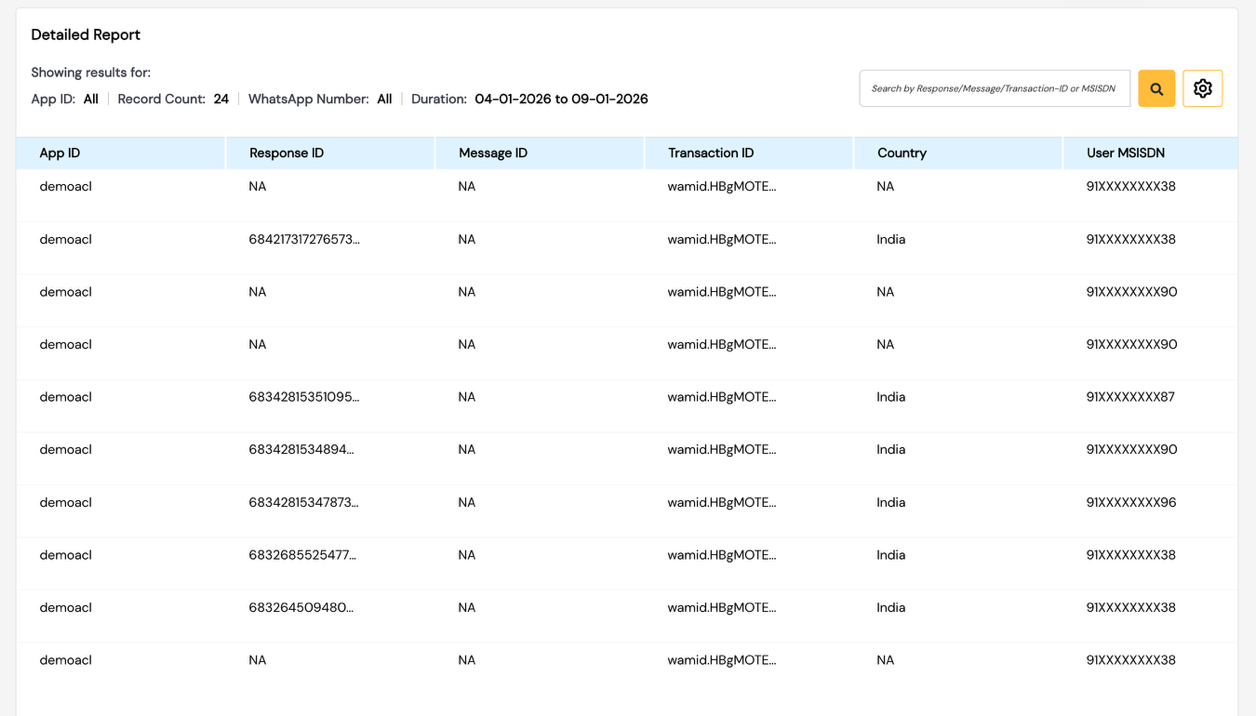
Detailed Report
Message-level breakdown:
| Column | Description |
|---|---|
| MSISDN | Recipient mobile number |
| Status | Sent / Delivered / Read / Failed |
| Timestamp | Message delivery timestamp |
| Error Code | Failure reason (if applicable) |
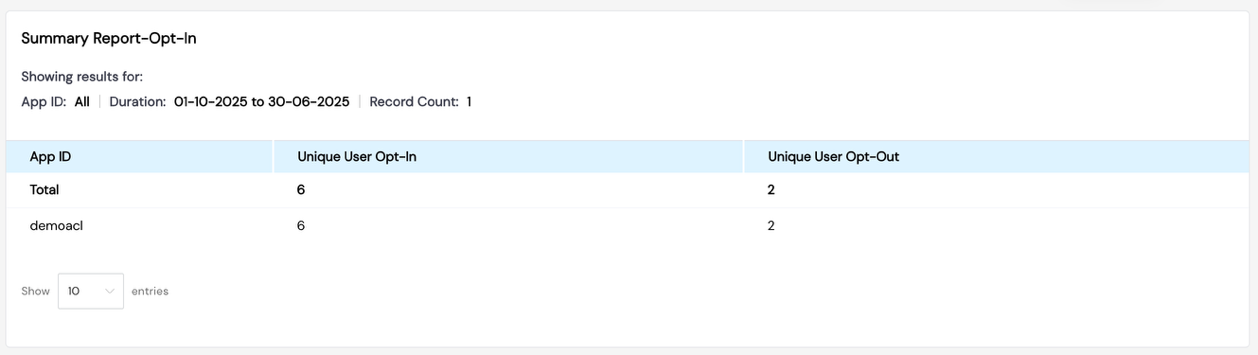
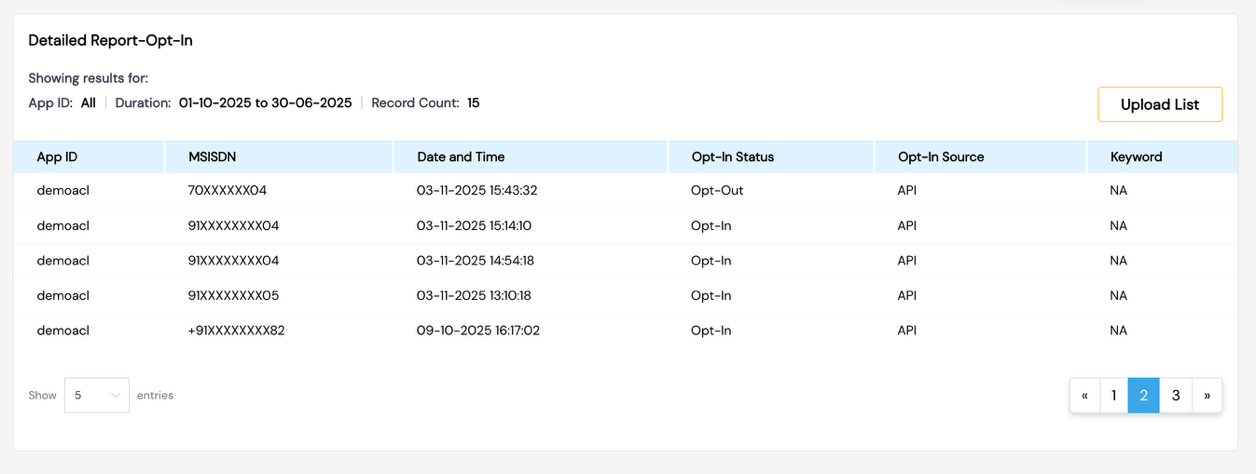
Summary Report – Opt-In
Track user consent management:
- Opt-in count by date range
- Opt-out count and reasons
- Net subscriber change
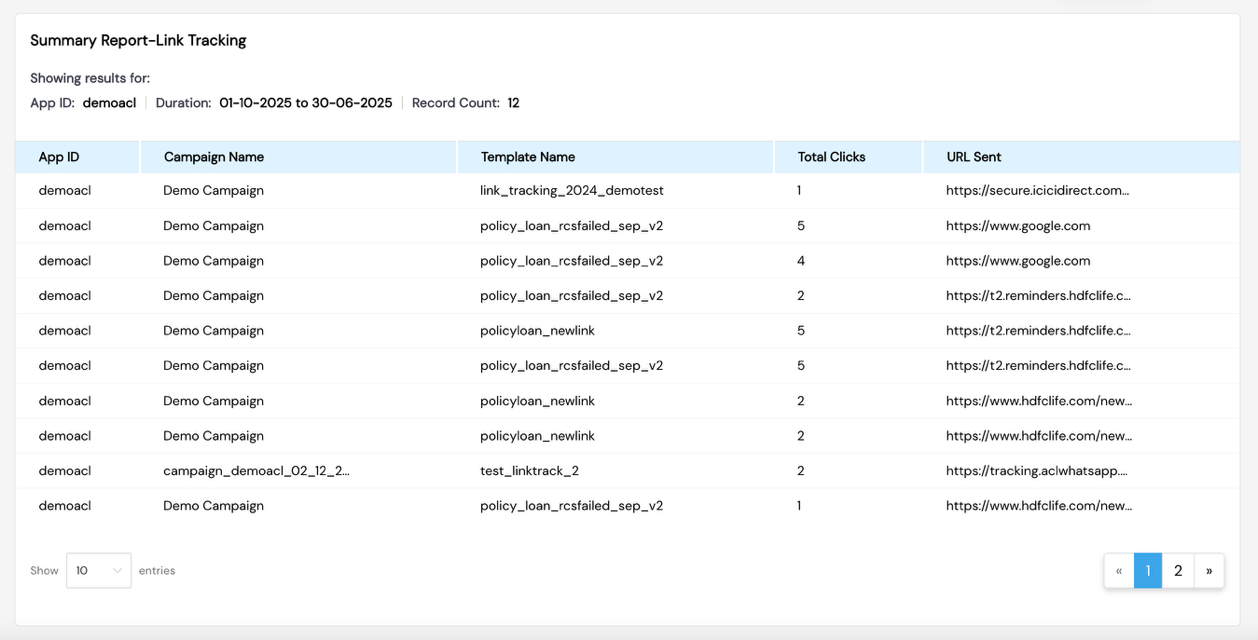
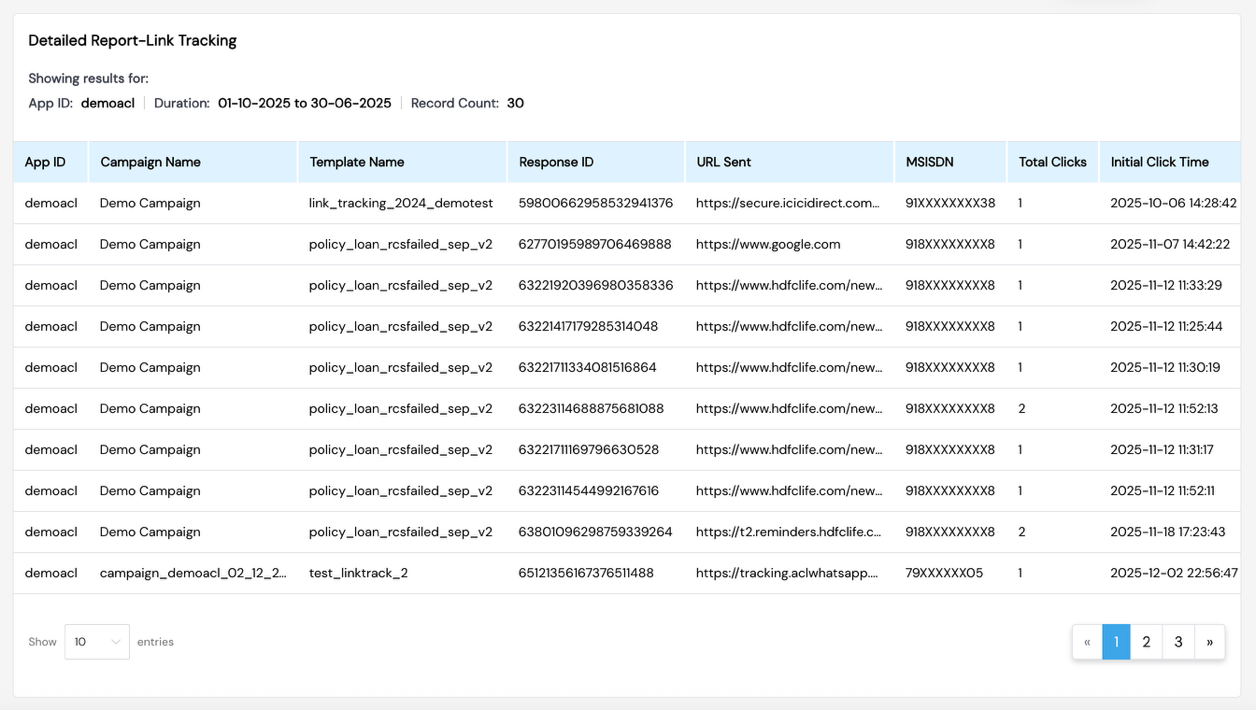
Summary Report – Link Tracking
For campaigns with link tracking enabled:
- Total link clicks
- Unique users who clicked
- Click-through rate (CTR)
- Click timestamps and geography (where available)
Detailed Report – Keywords
For inbound keyword monitoring:
- Keyword received
- Sender MSISDN
- Timestamp
- Matched campaign or rule
Export
All reports can be exported as CSV for offline analysis and compliance purposes.
Screenshots
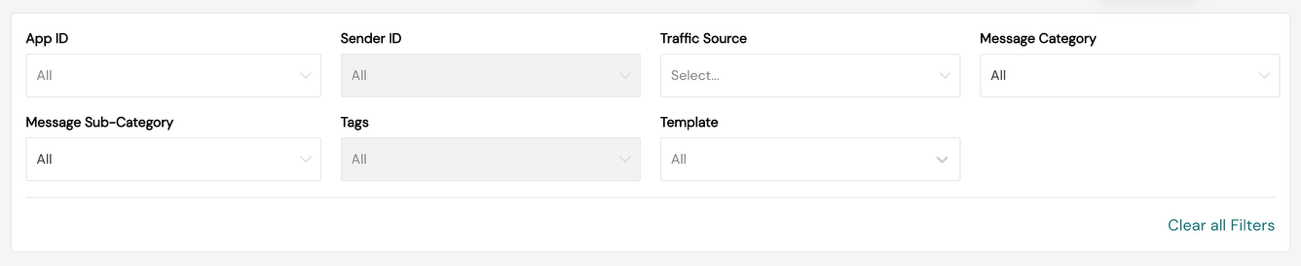
Insights Dashboard
Summary Cards
Graphs
Billing Insights Report
Summary Report
Detailed Report
Opt-In Report
Link Tracking Report